
How do I set up my service area?
Your Service Area defines the geographic region where you want to accept work. Setting this up correctly ensures you only see available jobs within a comfortable driving distance from your home base or shop.
How it works
Once your service area is set, all new job opportunities within that radius will appear on your Claim screen.
Visibility: You can view every available job within your designated zone.
Dispatch Center: This is the central point (usually your home or business address) from which your service radius is measured.
How to set up or edit your Service Area
You can adjust your coverage at any time to expand your business or tighten your route:
Open the LawnGuru Provider app and tap the Account tab in the bottom right corner.
Select Service Area from the menu.
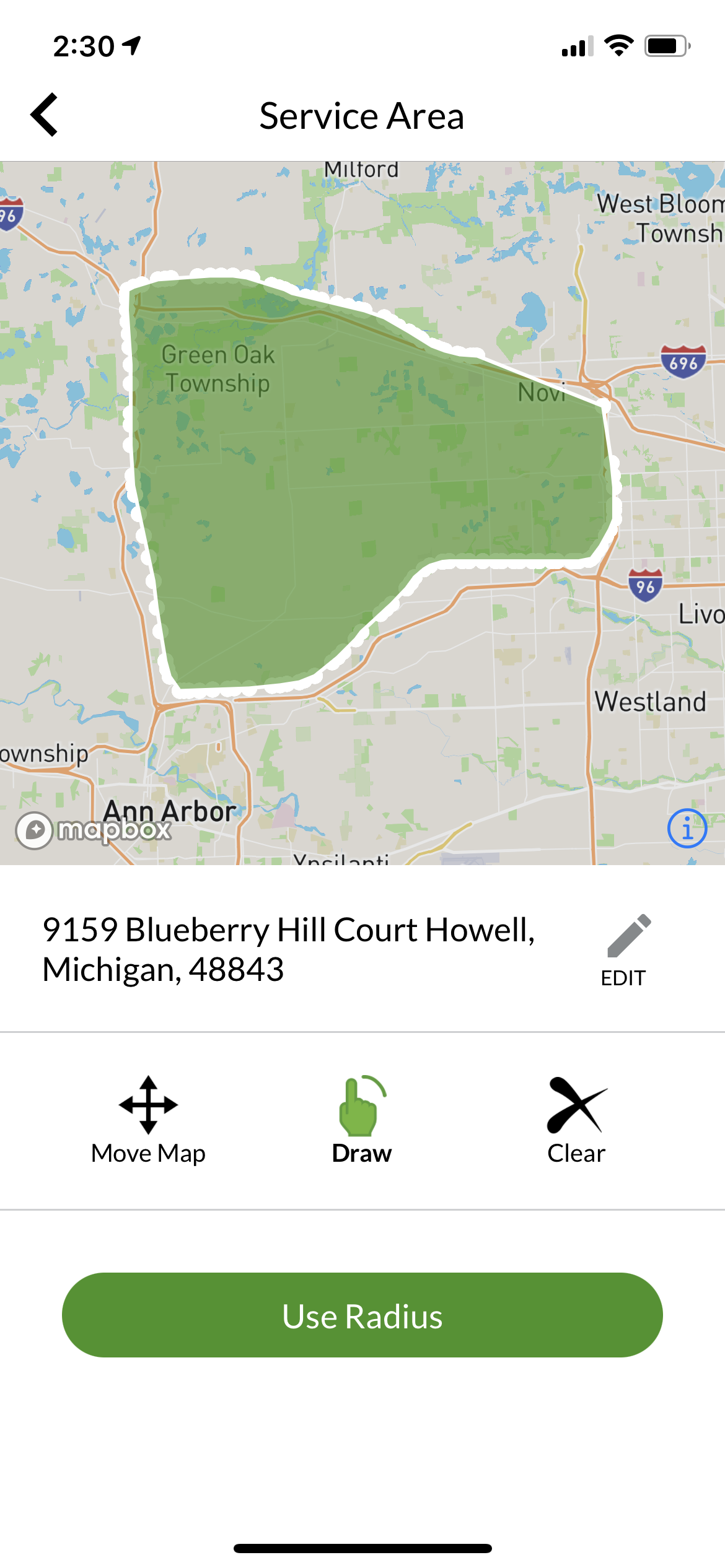
View Current Coverage: You will see a map with a shaded circle representing your current area.
Change Your Location: To move your central starting point, tap the Edit button next to your dispatch address and enter a new location.
Adjust the Radius: Use the slider at the bottom of the screen to increase or decrease your coverage distance.
Note: While the default is 30 miles, many providers find that a smaller, denser radius leads to better profit margins.
Best practices for your Service Area
Start Small: If you are new to the platform, start with a smaller radius (5–10 miles) to build a tight, efficient route before expanding.
Seasonal Adjustments: Consider expanding your radius for high-demand services like Snow Plowing or Fall Cleanups, and tightening it for standard Mowing.
Update Your Center: If you move or open a second shop, remember to update your dispatch address immediately so your job alerts remain relevant.